Copy & Paste
Check Mark Symbols to Copy and Paste ✓ ✔ ☑
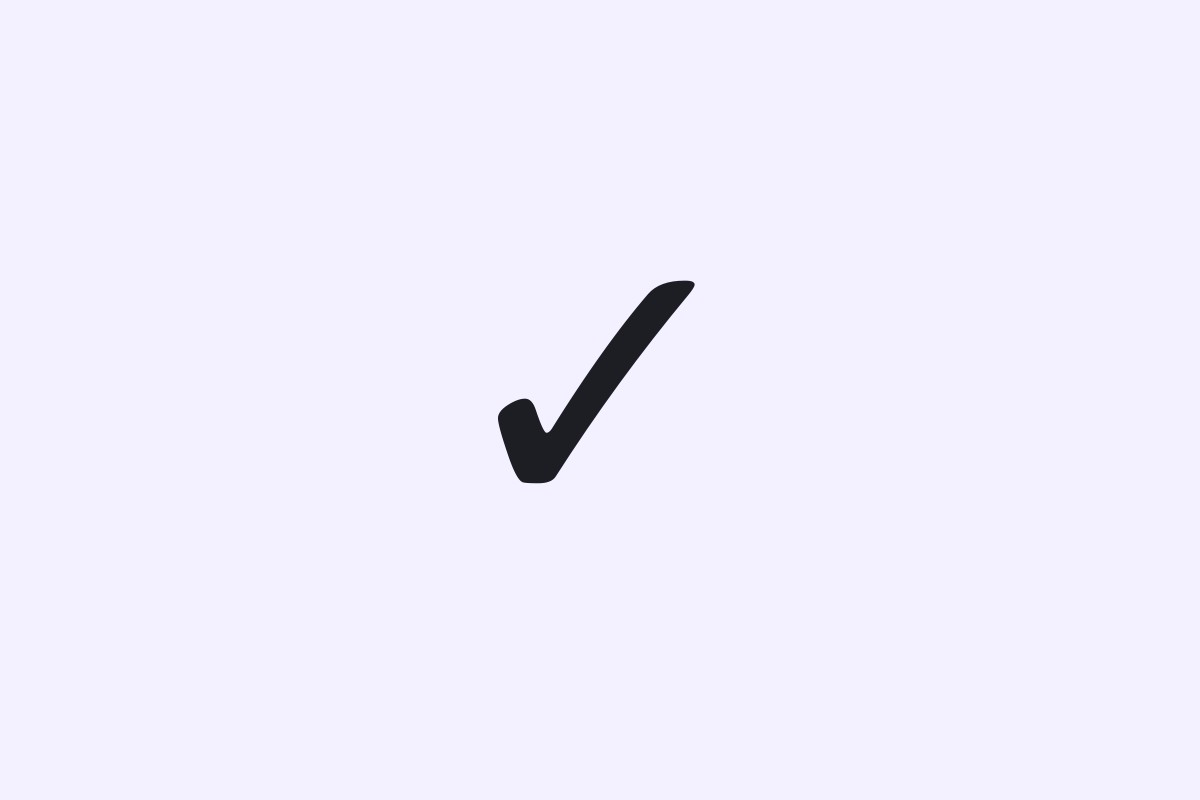
A check mark symbol ✓ usually indicates completion, selection, or a correct answer. Copy ✓ for a light check, ✔ for a heavier check, or ☑ for a checked ballot box.
Choose a symbol to copy
Quick input reference
| Windows | No universal legacy Windows Alt code is recommended for this set. Use Character Map, select the exact character, copy it, and paste it into your document. |
|---|---|
| Word for Windows | In Word for Windows, type 2713, select only those hexadecimal digits, and press Alt+X to obtain ✓. This is a Word Unicode conversion, not a system-wide Windows shortcut. The same method works with each tile’s U+ value after removing U+. |
| Mac | Choose Edit > Emoji & Symbols and search for “check” or “ballot box.” Select ✓ for a plain check rather than the green emoji ✅. |
| iPhone / Android | The emoji keyboard on iPhone or Android can supply ✅. For the specific text checks ✓ and ✔, or the box ☑, copy the matching tile here and paste it into the destination app. |
| HTML | For ✓, use ✓ or ✓ in HTML source. Numeric decimal references for every tile are listed below. |
A check mark symbol ✓ usually indicates completion, selection, or a correct answer. Copy ✓ for a light check, ✔ for a heavier check, or ☑ for a checked ballot box.
Check mark, tick, or checkbox?
“Check mark” and “tick” are everyday names for the same kind of written sign. Unicode distinguishes several characters. ✓ is U+2713 CHECK MARK, while ✔ is U+2714 HEAVY CHECK MARK. The heavier character is a separate code point, not merely the first check with bold formatting applied.
☑ is U+2611 BALLOT BOX WITH CHECK. Its box is part of the character. ✅ is U+2705 WHITE HEAVY CHECK MARK, commonly displayed as a check inside a green square. Its formal Unicode name need not describe the colors you see on every device.
For contrast, ✗ and ✘ are ballot X characters, and ☒ is a ballot box with X. Their meanings depend on the form: an X can indicate an incorrect answer, a selection, or a canceled item. Add a legend to a worksheet or results table rather than assuming every reader shares the same convention.
A copied check is not an interactive control
Pasting ☑ into a list creates text. It does not create a form field that a reader can toggle or submit. In a website, an actual checkbox uses an HTML input control with a label; a word processor has its own form-control tools. Use this page for visible text marks, not a substitute for accessible interface behavior.
For task status, pair the symbol with words such as “Complete” or “Approved.” This helps screen-reader users and anyone viewing a font that lacks the glyph. A check can show what a writer claims has happened, but it is not evidence of certification, independent verification, or legal approval.
Why check-mark Alt codes are often unreliable
Lists sometimes present decimal Unicode numbers as though they were universal Windows Alt codes. They are not. Other recipes rely on Wingdings or another symbol font, so the character may turn into a letter when the font changes. Use the Word Unicode conversion below, Character Map, or the exact copy tile for portable text.
From print ornaments to Unicode
Unicode’s dingbats FAQ explains that much of the Dingbats block derives from the established ITC Zapf Dingbats 100 series. That is part of the modern digital history of these printable ornaments, not a claim that the typeface invented the underlying check or star shape.
How to type these symbols
Windows
No universal legacy Windows Alt code is recommended for this set. Use Character Map, select the exact character, copy it, and paste it into your document.
Microsoft Word for Windows
In Word for Windows, type 2713, select only those hexadecimal digits, and press Alt+X to obtain ✓. This is a Word Unicode conversion, not a system-wide Windows shortcut. The same method works with each tile’s U+ value after removing U+.
Mac
Choose Edit > Emoji & Symbols and search for “check” or “ballot box.” Select ✓ for a plain check rather than the green emoji ✅.
iPhone and Android
The emoji keyboard on iPhone or Android can supply ✅. For the specific text checks ✓ and ✔, or the box ☑, copy the matching tile here and paste it into the destination app.
On Mac, the exact shortcut depends on the input source. Edit > Emoji & Symbols is the layout-independent starting point; Keyboard Viewer shows modifier-key characters for your active layout. On a phone, touch and hold the destination text field and choose Paste after copying.
Unicode and HTML codes
For ✓, use ✓ or ✓ in HTML source. Numeric decimal references for every tile are listed below. In ordinary messages, paste the visible character, not its entity text. Use UTF-8 for your webpage.
| Symbol | Unicode name | Code point | HTML decimal |
|---|---|---|---|
| ✓ | CHECK MARK | U+2713 | ✓ |
| ✔ | HEAVY CHECK MARK | U+2714 | ✔ |
| ☑ | BALLOT BOX WITH CHECK | U+2611 | ☑ |
| ✅ | WHITE HEAVY CHECK MARK | U+2705 | ✅ |
| ✗ | BALLOT X | U+2717 | ✗ |
| ✘ | HEAVY BALLOT X | U+2718 | ✘ |
| ☒ | BALLOT BOX WITH X | U+2612 | ☒ |
Find more characters in the Symbol Finder, compare math symbols, or explore how symbols gain meaning.
Frequently asked questions
What is the Alt code for ✓?
There is no universal legacy Windows Alt code for ✓ that this page recommends. In Word for Windows, type 2713 and press Alt+X.
Is ☑ a clickable checkbox?
No. It is one text character. Use a real checkbox control in a form when the user needs to change its state.
What is the Unicode code point for ✓?
✓ is U+2713 CHECK MARK. Its decimal HTML reference is ✓. A code point identifies the character, not a fixed font drawing.
Sources & further reading
- Unicode character names and annotations
- Microsoft: Insert ASCII or Unicode character codes in Word
- Microsoft: Windows keyboard tips and tricks
- Apple: Use emoji and symbols on Mac
- Apple: Use the Keyboard Viewer on Mac
- Apple: Type with the onscreen keyboard on iPhone
- Google: Use your keyboard on Android
- HTML Living Standard: Named character references
- Unicode: Emoji presentation sequences
- Unicode: Emoji and dingbats FAQ